
How to Use Google Docs Integration
by
Web Editor
—
last modified
Feb 05, 2026 02:35 PM
This document explains how to use the Google Docs integration inside of the Landscape Partnership website.
Set up sharing on your Google Doc.
1. Open the GoogleDoc or GoogleSpreadsheet that you want to use.
2. In the upper right corner, locate and click the Share button.
3. Under General Access, change Restricted to Anyone With the link. If Anyone with the link is already selected move on to the next step.
4. Click the Copy link button.
Add your Google Doc to the site.
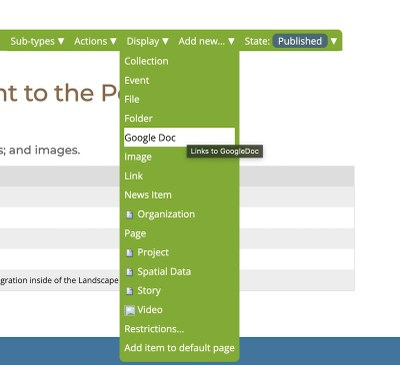
1. Login to your website, navigate to the folder location where you'd like to add the Google Doc, open the Add new menu, and select Google Doc.
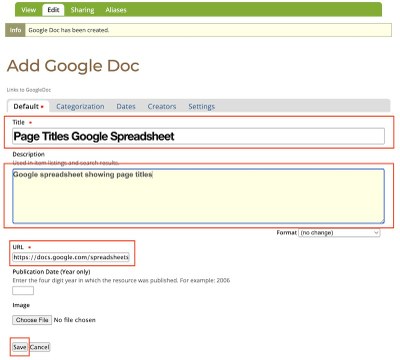
2. Enter a Title and Description for your Google Doc, paste the URL that you copied from Step 4 above into the URL field. Click Save.